Attempt counts can be adjusted per student, and individual attempts can be deleted from a student's record. Both actions take place from the viva overview without leaving the page.
Granting another attempt
The Attempts column in the students table shows used attempts over the maximum (for example, 1/2). The plus control on the cell increases the maximum by one; the action confirms with a toast.
Adjustments are capped at five per action; multiple adjustments can be made if a larger increase is needed. The student's dashboard reflects the new maximum immediately, and Start Viva becomes available again if the previous maximum had been reached.
When a student has already requested an additional attempt, the request is shown in the column. Selecting the plus control approves the request. There is no formal decline action; an unapproved request leaves the maximum unchanged.
Reducing the maximum
The minus control on the cell reduces the maximum, subject to the floor of attempts already used. This is useful when an extra attempt was granted speculatively, or when normalising a student's count back to the cohort default.
Deleting an attempt
Granting another attempt adds a new attempt rather than replacing the previous one. To remove an attempt entirely, expand the student's row in the table, select the row actions on the attempt, and confirm the deletion in the dialog.
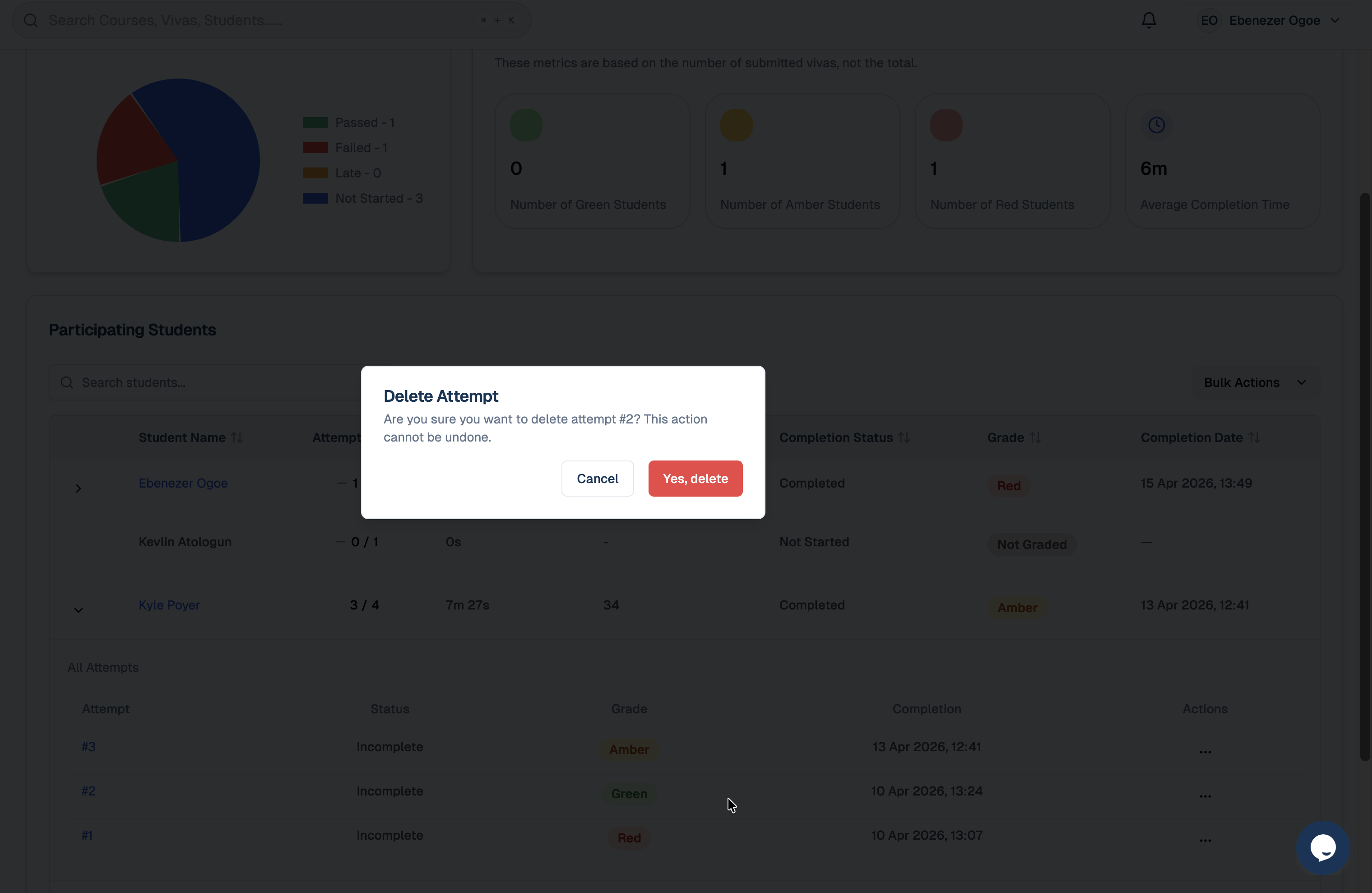
Deleting an attempt removes it from the student's record, including the score, transcript, and recording, and frees the slot within the original maximum. The action cannot be reversed.
Deletion is appropriate when an attempt was corrupted by a technical failure, or when the attempt was started by mistake before any meaningful answer. Low scores are valid records of an attempt and are not a reason for deletion; if the AI draft is in dispute, editing the summary is preferable. While a dispute or appeal is open, the attempt is best left in place, since the transcript, replay, incidents, and scores form the evidence record.
Resetting a student
Integrevise does not have a single reset action. The equivalent effect is achieved by deleting any attempts that should not be retained and setting the maximum back to its original value.
Disputes and other student issues
Most disputes are resolved by editing the summary or granting another attempt rather than by deletion. While a dispute or formal appeal is open, the original attempt is the evidence record and should not be deleted. The wider workflow for student issues, technical and otherwise, is described in Resolving Student Issues.
Audit
Every attempt adjustment — grants, reductions, and deletions — is recorded in the module's activity feed, which provides a chronological record of changes for later reference.