After you complete a viva, your lecturer reviews the report and releases the result to you. This article covers when the result becomes visible, what is on the results page, and how to request another attempt.
When the result appears
When your result becomes visible depends on how your lecturer has configured the viva. If results are set to release automatically, Integrevise processes the session and the result usually appears shortly afterwards. If results are set to manual release, the result appears only after your lecturer has reviewed and released the report.
The button on the viva card changes once the result is available:
- Start Viva indicates that the viva has not yet been attempted.
- View Results indicates that the result is available.
If the button has not changed after a reasonable time, your lecturer is the right contact. Result release is controlled by the viva settings, not by the support team.
What is on the results page
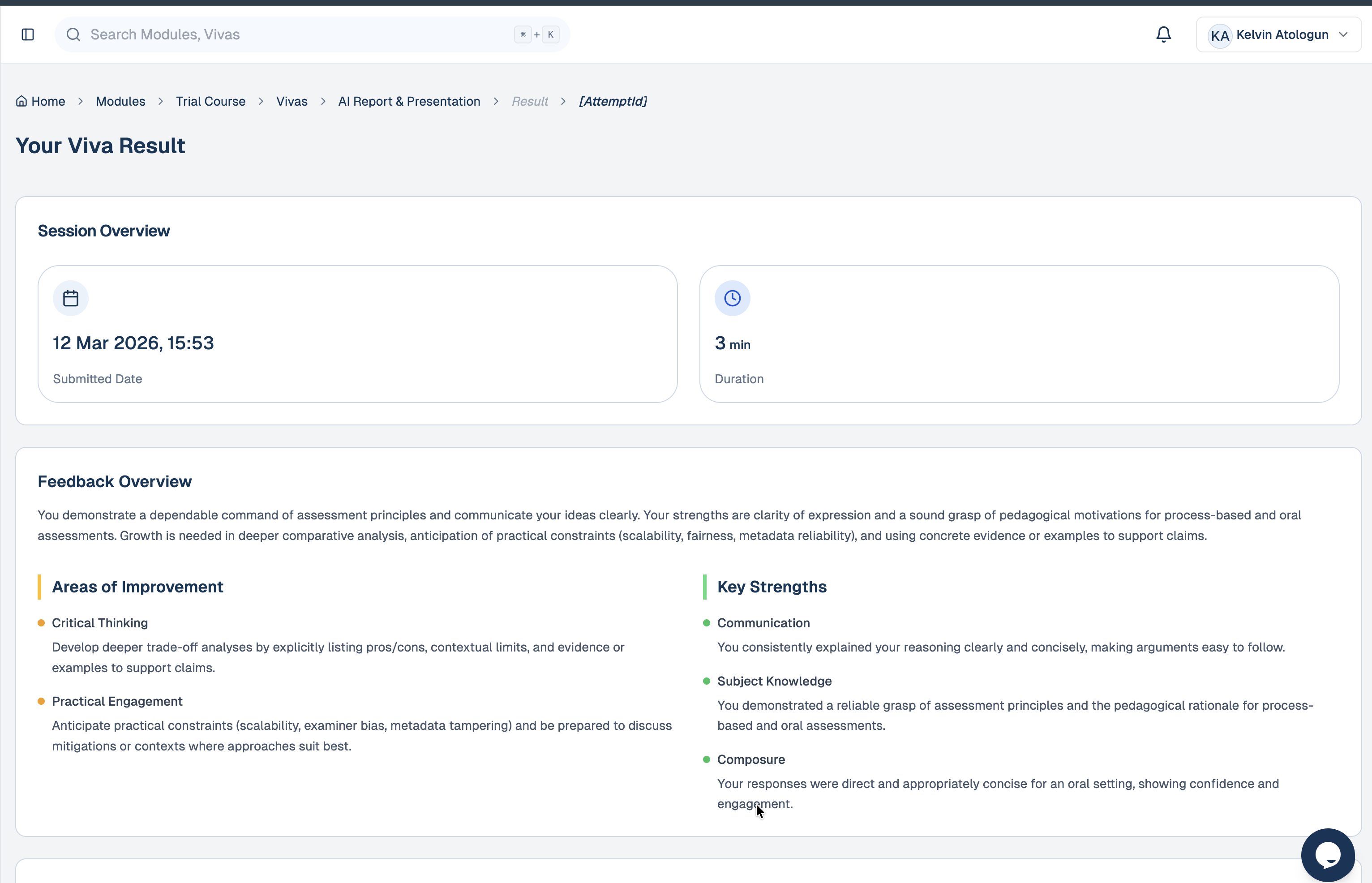
The results page is focused on feedback you can act on:
- A short summary of how the session went.
- Metrics describing the session itself: duration, number of questions answered, and topic coverage. These are descriptive rather than scored.
- Suggestions for further study linked to the areas where you have room to grow.
Reading the feedback
The summary and the suggestions for further study are intended as a basis for preparing for your next viva. A useful starting point is to read the suggestions alongside the summary and identify one or two specific changes to apply next time.
Requesting another attempt
If a viva did not reflect your understanding (for example, due to a technical problem or illness), you can request another attempt from the viva page.
To request another attempt:
- Open the viva from your dashboard.
- Locate the Attempts counter (for example, 1/1).
- If a request is permitted, select Request More Attempts beneath the counter.
The link changes to Request sent, awaiting approval until your lecturer responds. Approval is at your lecturer's discretion. If the request relates to a technical issue, a short email describing what happened (with an approximate time) helps your lecturer cross check with the session logs.
Talking to your lecturer
Anything academic — grading, why a particular question was asked, or whether another attempt can be arranged — is best raised with your lecturer through the channel your module already uses.
Anything technical — pages that do not load, a missing result, errors during a session — should be raised through Help & Support in your sidebar.